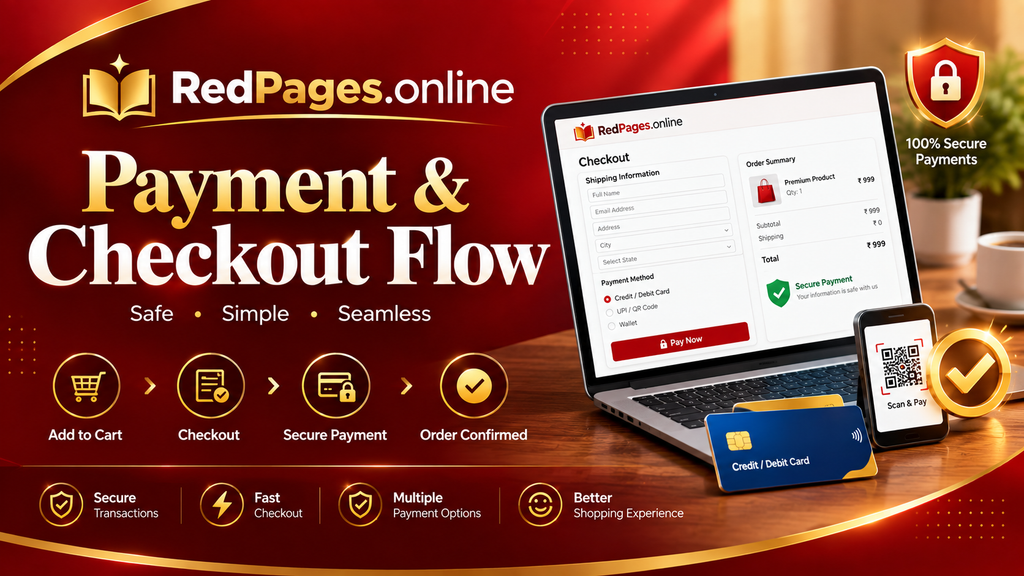
Payment Checkout Flow Details
Complete Your Business Listing
You are one step away from promoting your business on RedPages Online.
Review your selected listing or advertising package, enter your billing details, and complete your payment securely. Once your payment is successfully processed, your order will be submitted for processing and verification.
1. Select Your Package
Choose the RedPages Online service that best matches your business requirements.
Available Services May Include:
- Business Directory Listing
- Premium Business Listing
- Featured Business Listing
- Local Business Promotion
- Online Advertising
- Banner Advertising
- Business Profile Promotion
- Category & Location-Based Promotion
- Other Promotional Services
2. Review Your Order
Before making payment, carefully check:
- Business/Company Name
- Selected Package
- Listing Type
- Advertising Size or Placement
- Listing Duration
- Package Price
- Applicable Taxes
- Discount or Coupon Code
- Final Payable Amount
Please make sure all information is correct before proceeding to payment.
3. Enter Your Business Details
Please provide accurate information so that we can process your listing or advertising request.
Required Information:
- Full Name
- Business Name
- Email Address
- Mobile Number
- Business Address
- City
- State
- Business Category
- Website URL
- GST/Tax Information, if applicable
You may also be asked to provide your business logo, images, banner artwork, description, or other information required for your selected service.
4. Apply Coupon Code
If you have received a valid promotional coupon from RedPages Online, enter the coupon code during checkout.
The applicable discount will be reflected in the order total before payment.
Note: Coupon eligibility, validity, minimum order value, and other conditions may apply.
5. Secure Payment
After reviewing your order, click Proceed to Payment.
Depending on the payment gateway and available payment methods, you may be able to pay using:
- UPI
- Debit Card
- Credit Card
- Net Banking
- Other supported digital payment methods
Payment processing is handled through the payment gateway integrated with RedPages Online. Payment providers may apply their own transaction, verification, security, or risk checks.
6. Payment Confirmation
After successful payment, you will see a Payment Successful confirmation.
Your confirmation may include:
Payment Status: Successful
Order ID: [Order Number]
Service: [Selected Package]
Amount Paid: ₹[Amount]
Date: [Payment Date]
A payment/order confirmation may also be sent to your registered email address.
7. Listing Review & Verification
Payment completion does not necessarily mean that the business listing is automatically published.
RedPages Online may review submitted business information, images, descriptions, advertisements, and other content before publication.
If additional information or corrections are required, our team may contact you using the details provided during checkout.
8. Listing Activation
After successful payment and completion of any required review or verification, your selected service will be activated according to the package purchased.
Your business listing may then become available on relevant RedPages Online directory pages, categories, search results, or promotional areas according to the selected package.
Important Payment Information
Please review your order carefully before completing payment.
- Do not refresh or close the payment page while a transaction is processing.
- Do not make multiple payments for the same order unless instructed.
- Keep your Order ID/payment confirmation for future reference.
- If your bank account is debited but the RedPages Online order shows unsuccessful or pending, please contact us before making another payment.
- Payment gateway processing times may vary.
- Refunds and cancellations are subject to the RedPages Online Refund & Cancellation Policy.
- Listing publication is subject to applicable RedPages Online policies and verification requirements.
- RedPages Online does not guarantee a specific number of leads, calls, enquiries, sales, rankings, or business results from any paid listing or advertising service.
Payment Failed?
If your payment was unsuccessful:
- Check your payment method and available balance.
- Verify your UPI/card/net banking details.
- Try the payment again after confirming that no successful payment has already been made.
- If money has been deducted but your order is not confirmed, contact RedPages Online Support with your Order ID and payment details.
Please do not share your UPI PIN, card PIN, CVV, password, OTP, or banking login details with anyone.
Need Help?
If you have questions about your order, payment, business listing, or advertising package, please contact the RedPages Online support team.
RedPages Online
Online & Offline Business Directory
Website: https://redpages.online/
We’re here to help you get your business listed, promoted, and discovered.
Business Location
Manipur,Bopal,Ahmedabad
Gujarat, India

Pages
Support Contact Us

Proudly powered by Redpages Online Design and Develop by Magesol.com Software Company